In today’s hyper-connected world, almost every device that touches a network from your smartphone and laptop to smart TVs, printers, and even refrigerators carries a unique identifier known as a Media Access Control (MAC) address. This 48-bit hexadecimal number, permanently burned into the hardware by the manufacturer, serves as the device’s fingerprint on any local network. While IP addresses can change depending on location or network configuration, a MAC address remains constant, making it an invaluable tool for identification, security, troubleshooting, and management. A MAC lookup is simply the process of taking that cryptic string of numbers and letters and translating it into meaningful information about the device and its maker.
Most people first encounter MAC lookups when setting up router security, tracking lost devices, or investigating suspicious network activity. Network administrators, cybersecurity professionals, and even everyday users rely on MAC lookup tools to reveal the vendor behind an unknown device, block unauthorized hardware, or diagnose connection issues. With the explosion of Internet of Things (IoT) devices flooding homes and offices, understanding who manufactured a mystery gadget connected to your Wi-Fi has become both a privacy necessity and a practical skill. Far beyond simple curiosity, MAC lookups play a critical role in everything from parental controls to enterprise-level asset management.
How MAC Addresses Actually Work
The Structure and Format of a MAC Address
A standard MAC address consists of 48 bits, usually displayed as six pairs of hexadecimal characters separated by colons or dashes. The first three octets (24 bits) form the Organizationally Unique Identifier assigned by the IEEE to the manufacturer. The remaining three octets are assigned by the vendor itself, ensuring global uniqueness. Modern devices may support randomized MAC addresses for privacy, but the original burned-in address always remains accessible to the operating system and network tools.
Locally Administered vs Globally Unique Addresses
Globally unique addresses (the default) have the second-least-significant bit of the first octet set to 0. Locally administered addresses, often used in virtual machines or special configurations, flip that bit to 1. Tools performing a MAC lookup will immediately recognize locally administered addresses and report them differently, helping administrators spot virtualized or spoofed devices on the network.
Unicast, Multicast, and Broadcast MAC Addresses
Unicast addresses identify a single device, multicast addresses deliver packets to a group (common in streaming or discovery protocols), and the broadcast address FF:FF:FF:FF:FF:FF reaches every device on the local segment. Understanding these distinctions during a MAC lookup helps network engineers quickly differentiate legitimate traffic from potential attacks or misconfigurations.
Why Perform a MAC Lookup in Everyday Life?
Identifying Unknown Devices on Your Home Network
When you notice an unfamiliar device listed in your router’s connected devices page, a quick MAC lookup reveals the manufacturer instantly. This simple step can alert you to an intruder, a neighbor leaching Wi-Fi, or just your new smart bulb that registered under a generic name. Parents also use this technique to identify gaming consoles or tablets and apply appropriate restrictions.
Enhancing Home Wi-Fi Security and Parental Controls
Many routers allow MAC address filtering – only devices with approved MACs can connect. By performing regular lookups, you maintain an accurate whitelist that survives IP address changes or guest network abuse. Combined with strong WPA3 encryption, MAC-based controls add an extra layer of defense against casual intruders.
Tracking Lost or Stolen Devices
Even if a thief resets a laptop or phone, the MAC address of its Wi-Fi and Ethernet adapters remains unchanged. Law enforcement and corporate security teams frequently use MAC lookup databases during investigations to match recovered hardware with reported thefts, providing crucial evidence in recovery efforts.
MAC Lookup Tools and Databases Explained
Free Online MAC Lookup Services
Websites like maclookup.app, wireshark.org’s OUI lookup, and macvendorlookup.com maintain constantly updated databases of over 45,000 registered OUIs. Users simply paste or type the MAC address and receive instant vendor information, often with links to support pages or driver downloads for that manufacturer.
Command-Line and Desktop Applications
- nmap -sP 192.168.1.0/24 followed by arp -a reveals MAC addresses on most home networks
- Wireshark’s built-in OUI resolution displays manufacturer names in real time during packet capture
- Tools like Angry IP Scanner or Advanced IP Scanner include automatic vendor lookup columns
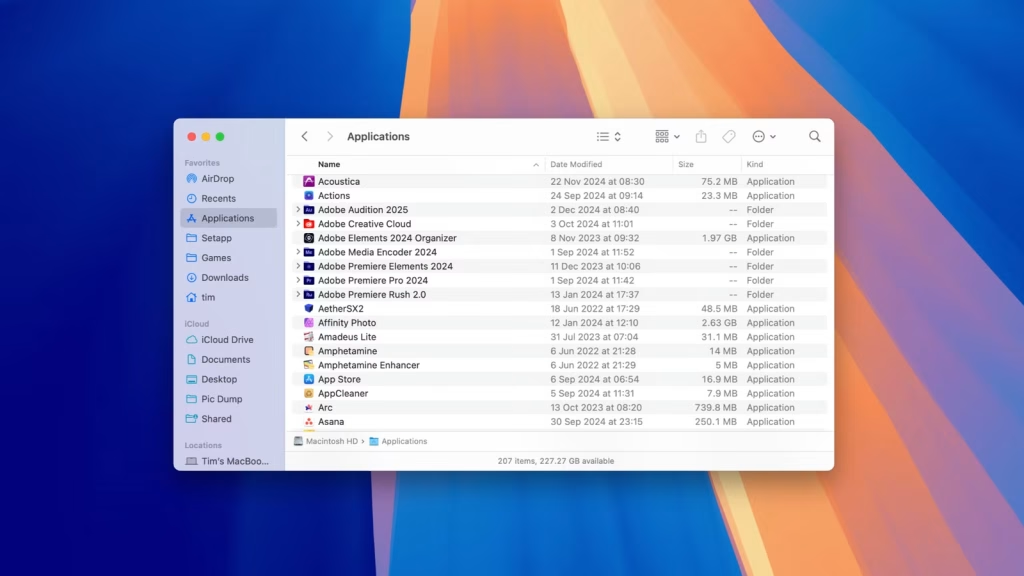
- macOS users can type networksetup -listallhardwareports in Terminal
- Windows PowerShell offers Get-NetAdapter for quick hardware address retrieval
These methods prove especially valuable when internet access is restricted or when dealing with air-gapped networks.
Official IEEE OUI Registry and API Access
The IEEE maintains the definitive public listing at standards-oui.ieee.org. Developers and enterprises can download the entire registry or access it via paid API for high-volume lookups. Although the free version updates only monthly, it remains the most authoritative source and includes registration dates and company contact details.
Enterprise and Cybersecurity Applications
Network Access Control (NAC) and 802.1X Authentication
Large organizations deploy MAC Authentication Bypass (MAB) as a fallback when devices lack 802.1X supplicants. By combining MAC lookup with RADIUS server policies, administrators automatically quarantine unknown vendors or force guest registration, dramatically reducing the attack surface in BYOD environments.
Detecting MAC Address Spoofing and Rogue Devices
Attackers Frequently spoof legitimate MAC addresses to bypass filters. Security teams use continuous monitoring tools that cross-reference observed MACs against asset inventories and flag anomalies. When combined with behavioral analysis, even sophisticated spoofing attempts become detectable within minutes.
Forensic Investigations and Incident Response
During a breach investigation, analysts export switch or wireless controller MAC tables and run bulk MAC lookups against the entire list. This process instantly segments devices by vendor, revealing clusters of compromised IoT botnet members or unauthorized contractor laptops that slipped past traditional controls.
Privacy Implications and MAC Randomization
How Modern Devices Protect User Privacy
Since iOS 14, Android 10, and Windows 11, devices randomize their MAC address for each new Wi-Fi network connection. This prevents passive tracking by marketing companies or malicious actors who previously logged MAC addresses at coffee shops, airports, and retail stores to build movement profiles.
When Randomized MAC Addresses Cause Problems
Randomization breaks MAC-based whitelisting, guest networks, and some enterprise Wi-Fi systems. IT departments must either disable randomization via mobile device management (MDM) profiles or shift toward certificate-based authentication to maintain both security and user privacy.
Finding the Real Burned-In MAC Address
Even with randomization enabled, the original hardware MAC remains visible to administrators through diagnostic menus, ifconfig/hwconfig commands, or device settings under “About.” Lawful intercept and authorized support personnel can always retrieve the true identifier when required.
The Future of MAC Addresses and Lookup Technology
Transition to IPv6 and Unique Local Addresses
While IPv6 reduces reliance on ARP by embedding link-layer identifiers, MAC addresses still underpin SLAAC address generation. Tools that perform reverse lookups from IPv6 addresses to underlying MACs will become increasingly important as organizations complete their IPv6 migrations.
Integration with Zero Trust Network Architectures
Modern Zero Trust platforms continuously validate every device using multiple signals, including MAC vendor, certificate presence, and behavioral patterns. Automated MAC lookup forms just one piece of a larger risk score that determines whether a device receives full, limited, or no network access.
Emerging Standards and Blockchain-Based Registries
Some researchers propose decentralized OUI registries using blockchain to prevent counterfeit devices and improve supply-chain transparency. Although still theoretical, such systems could make MAC lookups not only faster but also cryptographically verifiable, ushering in a new era of hardware trust.
Conclusion
MAC address lookup remains an indispensable tool in 2025 and beyond, bridging the gap between anonymous hexadecimal strings and actionable intelligence about the devices surrounding us. From securing a simple home router to powering a smart office with thousands of endpoints, the ability to identify hardware manufacturers instantly delivers immediate value in security, troubleshooting, compliance, and privacy management.